
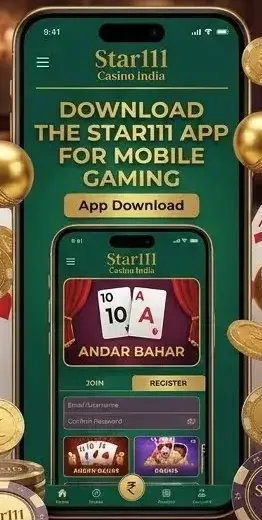
The Star111 app was an Android APK handed out from the brand’s own website, not something you could get from Google Play. We searched Google Play and Apple’s App Store in India on 11 November 2026 and found no Star111 app in either. The site that used to serve the APK is offline. So any “Star111 APK latest version” you find today comes from a third party. We don’t host or link one, and this page explains why and how to check a file that is already on your phone.
Where the Star111 APK came from
Older guides describe a typical side-load. You tapped the download button on the Star111 site, allowed “Install unknown apps” for your browser, opened the APK from your Downloads folder and installed it. The app used the same login and balance as the website, because it ran on the same platform.
iPhone users never had an App Store listing. The workaround was to open the site in Safari and use Share → Add to Home Screen. That only saves a shortcut to the website, so when the website went down, the “iPhone app” went with it.
Star111 APK latest version: why no number can be trusted
“Star111 apk latest version” and “star111 live app apk latest version” are among the most searched phrases about the brand. The problem is that there is nothing to compare against. The original operator’s download page is gone, and we found no changelog from it. Meanwhile, third-party pages advertise version numbers (one promotes a “v5.2”) and call their files “verified”.
A version number on a download page is just text that anyone can type. Android checks the signing key when you update an app. So an “update” that installs as a separate app, or asks you to uninstall the old one first, is a warning sign. Without the original publisher’s key you can’t tell an update from a repackaged file.
What a betting APK can do on your phone
Side-loaded apps skip the store review, so the permissions they ask for matter more than usual:
| Permission | Why a betting app might ask | What it can be used for |
|---|---|---|
| Read SMS | To auto-fill the login OTP | Reading bank and UPI codes too |
| Accessibility service | “Smoother” navigation | Watching and tapping your screen, including in other apps |
| Display over other apps | Pop-up promotions | Drawing fake login boxes over a real banking app |
| Install unknown apps | Updating itself | Quietly adding further APKs |
| Contacts | “Refer a friend” | Spamming your contacts with the same download link |
None of this proves the original Star111 app did anything wrong. It does explain why a stray APK of a dead platform, passed between strangers, is a bad bet.
Star111 cricket app and the live app
Searches for “star111 cricket app”, “star111 live app” and “star111 betting app” all lead back to the same APK. We found no sign of a separate cricket app. If what you really want is ball-by-ball scores, you don’t need a betting app at all. Broadcasters’ apps and the cricket boards’ own sites show live scores without asking for a deposit or any permissions.
Apps and the 2026 law
Since 1 May 2026, offering an online money game to people in India has been a criminal offence. That covers an app just as much as a website. Anyone who gives you a “working Star111 APK” now is either running an illegal platform or pretending to. In both cases you get no consumer protection. The See today’s offer button goes to a separate, partner-run site rather than Star111, and it is there for readers in countries that permit online gambling.
If the Star111 app is still on your phone, the four steps below remove it cleanly.